Strength & conditioning platform for teams
Strength training platform
to replace spreadsheets.
Flexible workout programming. Powerful progress tracking and analytics. Team communication. All in one platform.
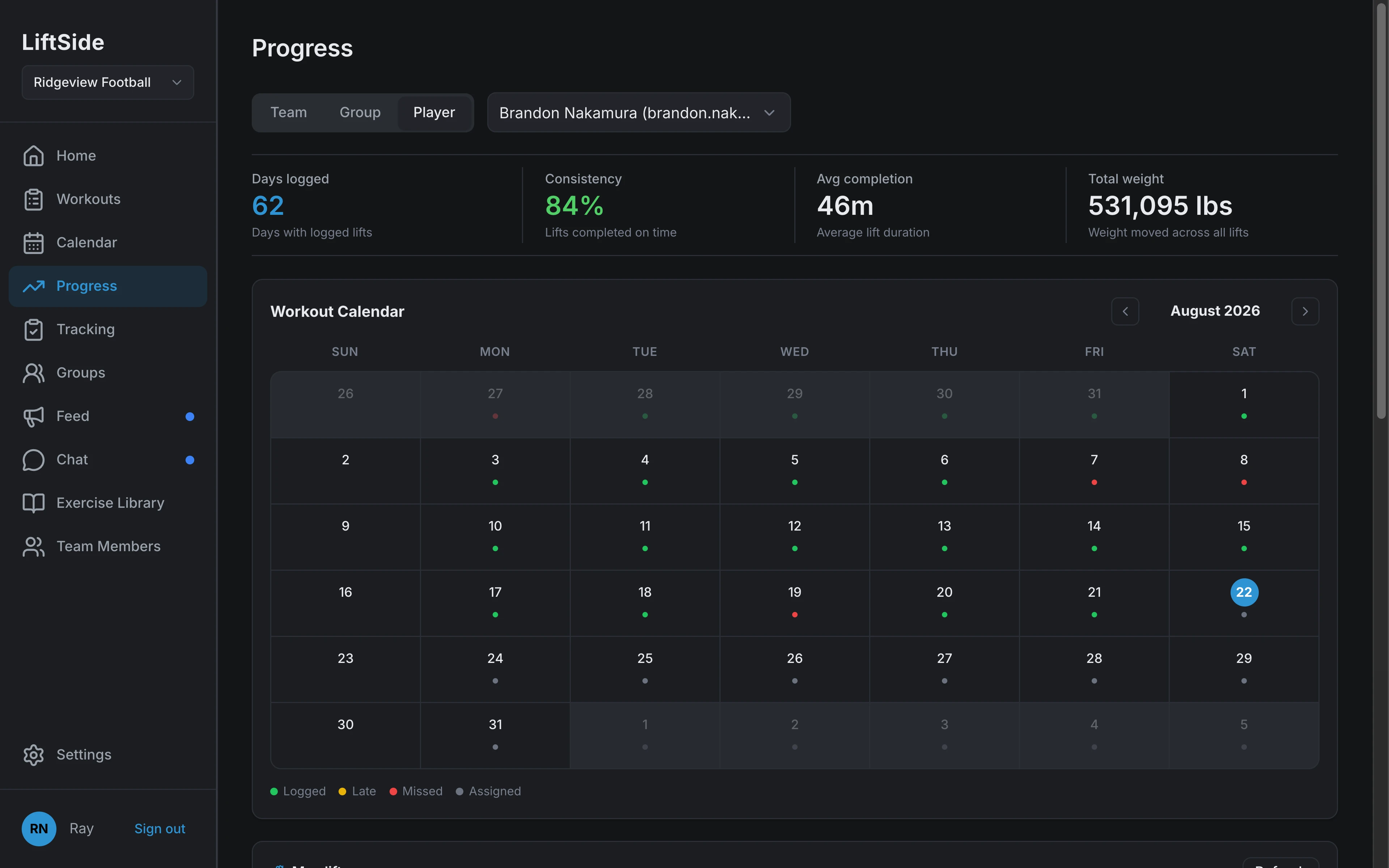
Build your prograaming from our web dashboard while athletes log workouts from the iOS or Android app on a phone or tablet.
Scales to entire athletic departments with seamless support for multiple teams under the same account.
Share as much or as little data as you want with separate admin, coach, and athlete roles.
We import your existing programming during our hands-on onboarding, so you can hit the ground running on day one.
A flexible, block-based workout builder.
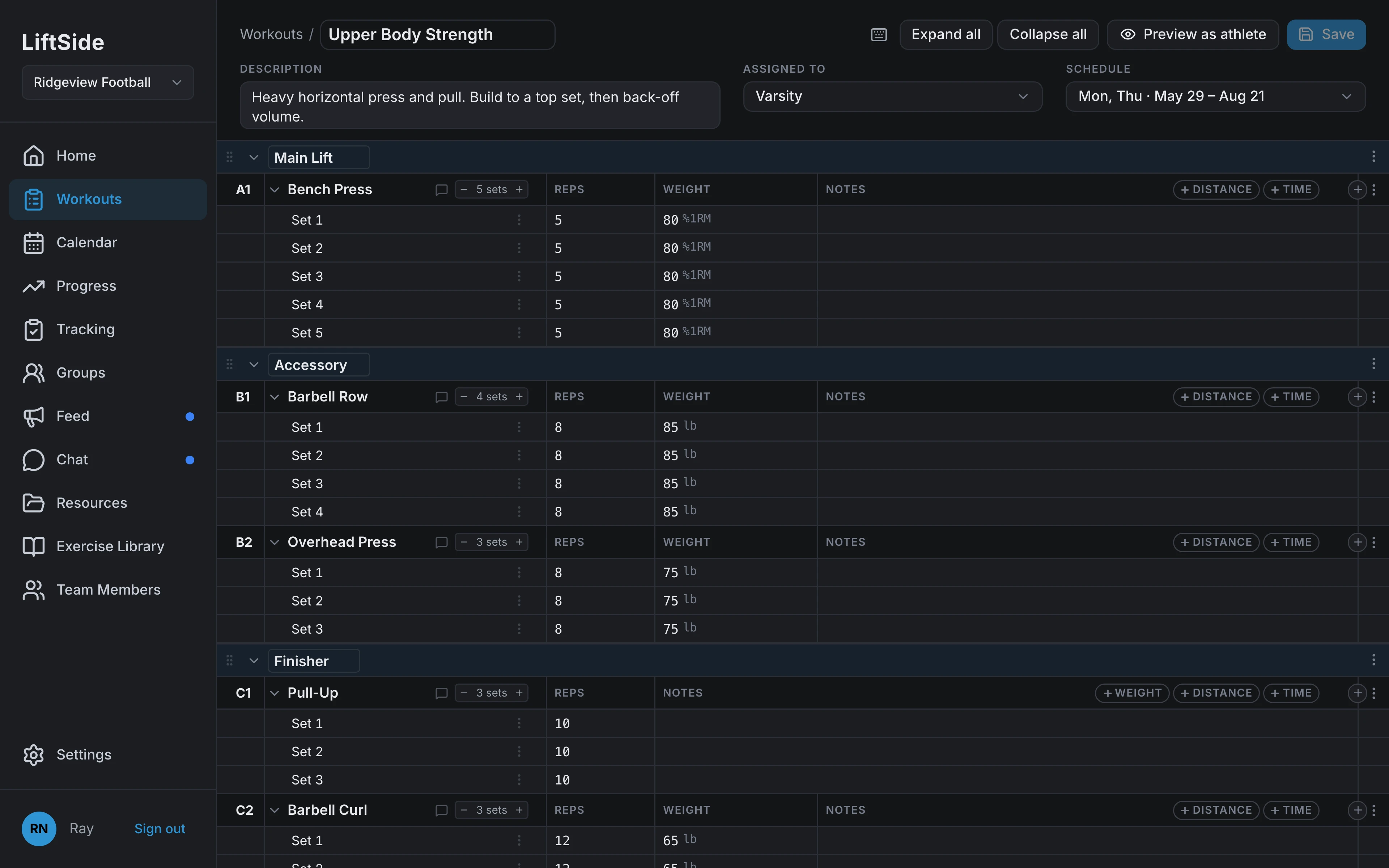
Build the session from grouped exercises with a prescription on every set. A 5×5 at 80% turns into real weights for each athlete, on the days you lift.
- Group exercises into main lifts, accessories, and supersets
- Prescribe each set in lbs, % of 1RM, or athlete-dependent loads
- AMRAP final sets and per-exercise coaching cues
- Repeat by day of week; edit one date without rewriting the schedule
- Assign to the entire team, a group, or individual athletes
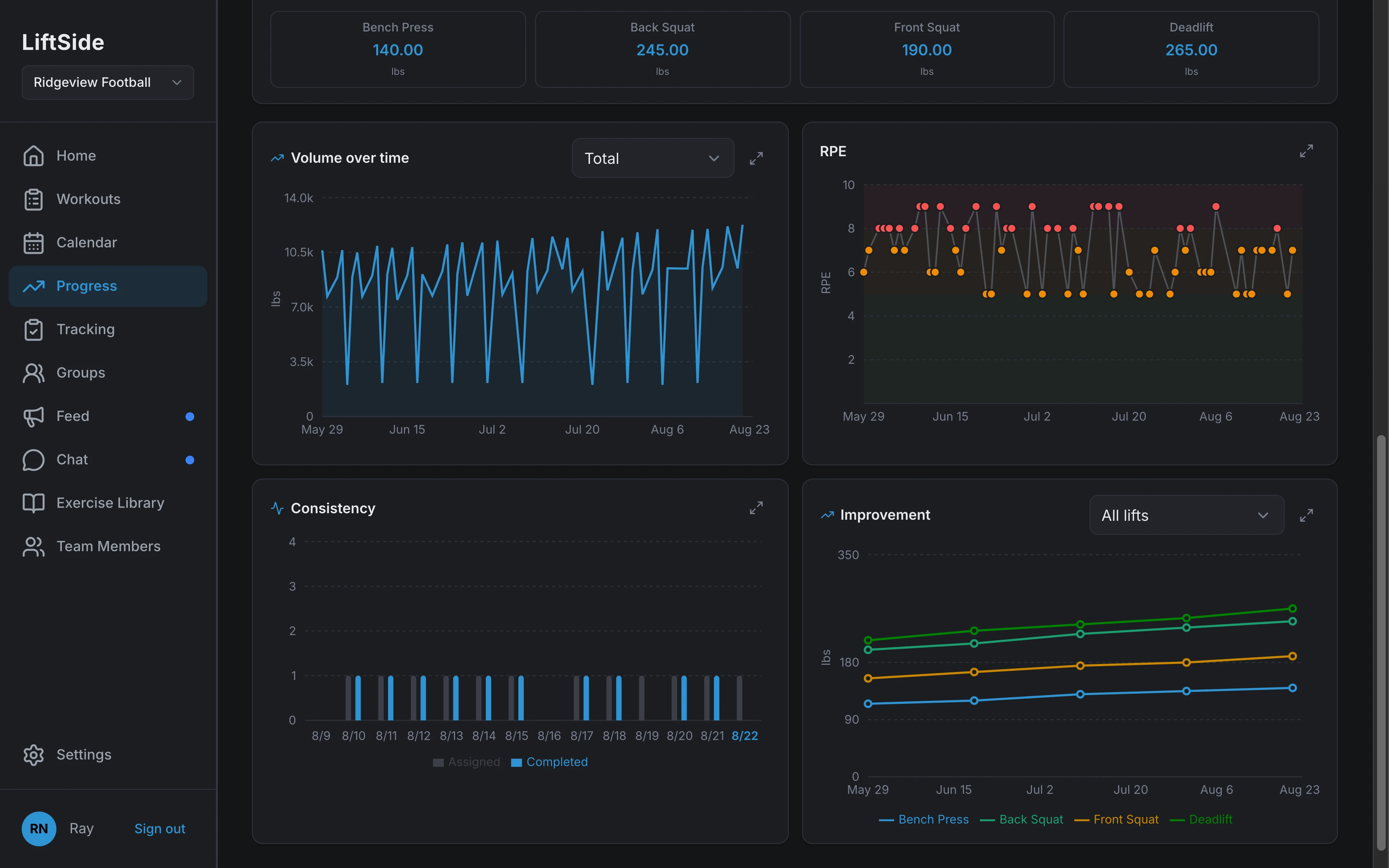
Know who is getting stronger.
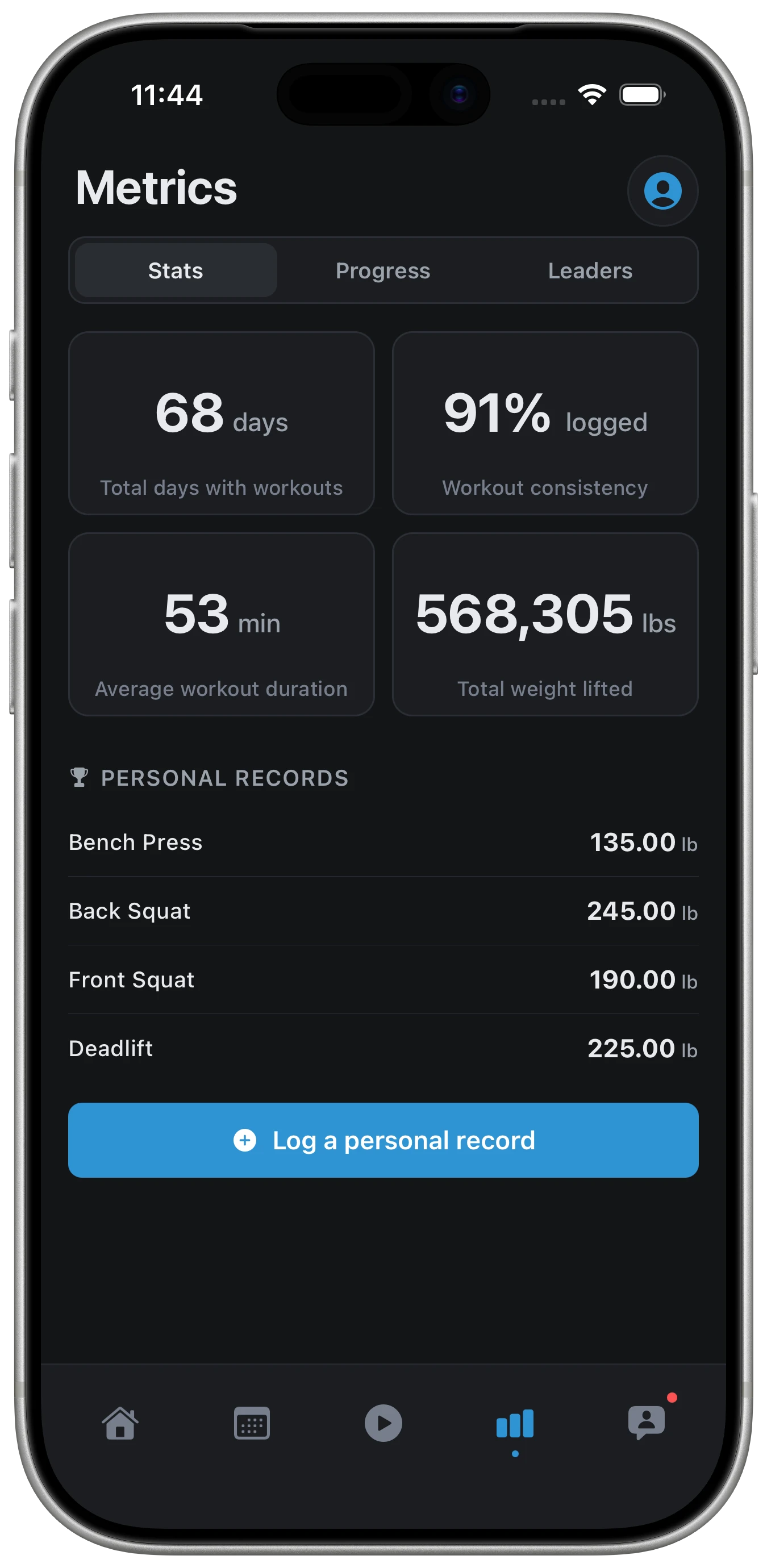
Every logged set feeds the same charts. Pick an athlete, a group, or the whole team and see volume, RPE, consistency, and maxes over the season.
- Volume, RPE, consistency, and improvement charts per athlete or group
- Max lift tracking with coach approval on new maxes
- Filter by athlete, group, exercise, muscle group, or date range
- Team records and week-over-week trends
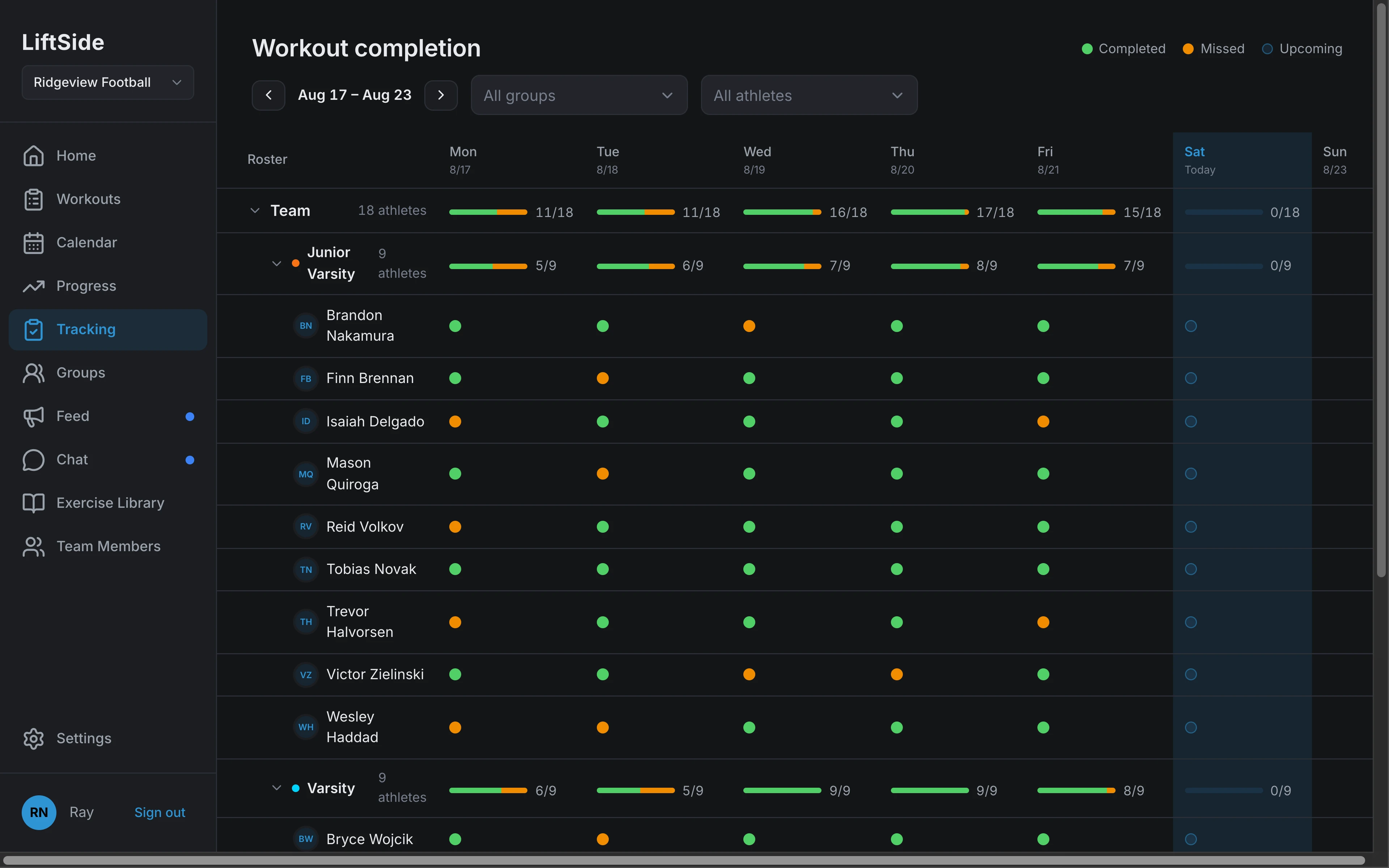
Know who showed up.
The roster down one side, the week across the top, one dot per session. Completed, late, or missed is obvious before practice starts.
- Roster × day completion matrix with logged, missed, and upcoming states
- Click any cell to read the submitted log, set by set
- Filter by group or athlete; roll up completion per group
- Month calendar with per-date edits, cancellations, and rest days
Communicate with your team.
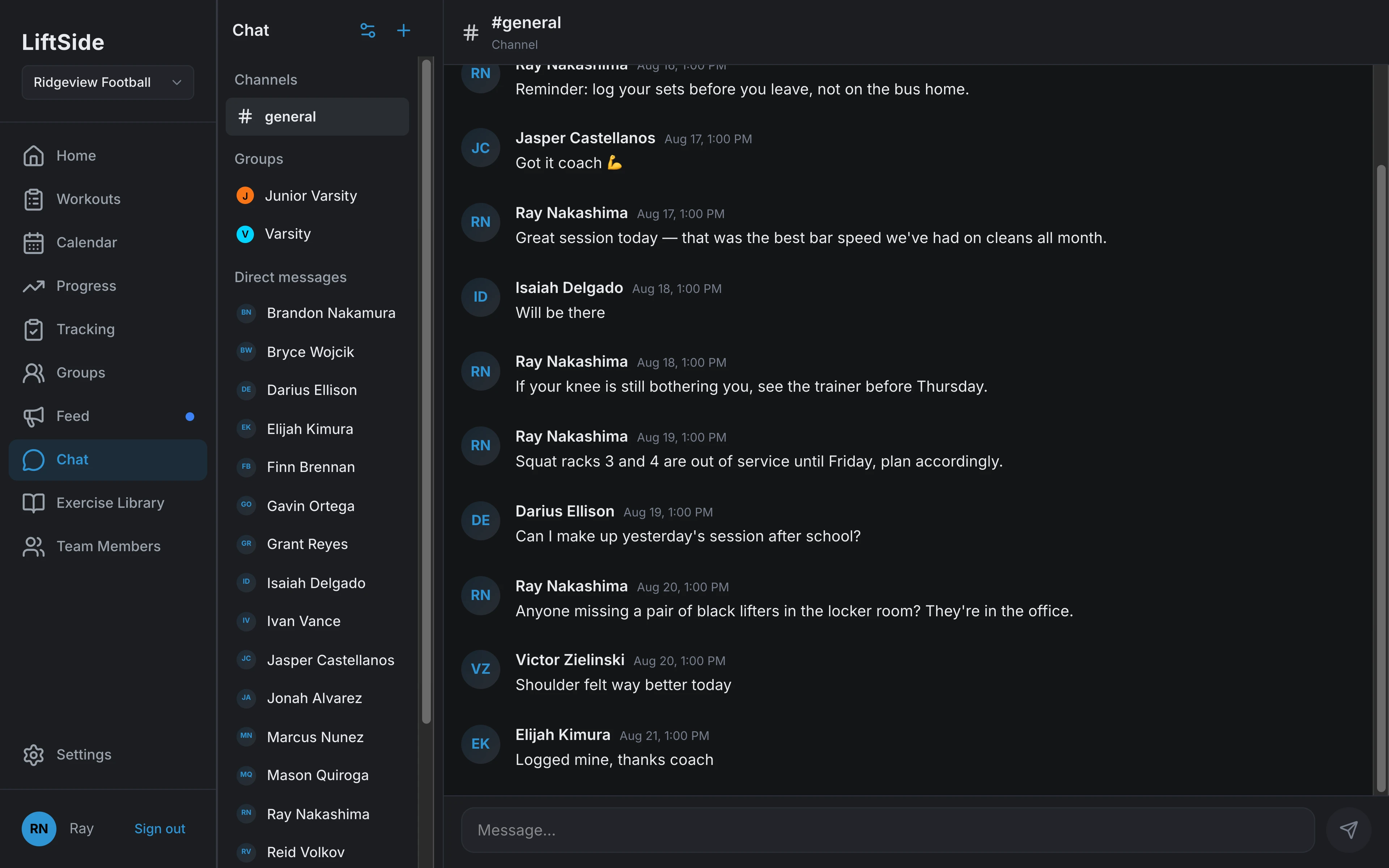
Announcements, channels, and direct messages live in the same app athletes open to lift, so a schedule change reaches everyone it affects.
- Channels, group messages, and DMs with threads and reactions
- A team feed for announcements coaches don't want buried in chat
- Email invites with roles for coaches, admins, and athletes
Whiteboard to phone to report, in three steps
Coach writes the program
A coach builds each session once (exercise groups, sets, and loads), sets which days it repeats, and assigns it to the whole team, a group, or one athlete.
Athletes log at the rack
On lift day the session is on each athlete's phone: what was prescribed, set by set. They enter weight, reps, and RPE as they train and submit before they leave.
Numbers come back to the coach
Completion, maxes, and volume update as logs come in. Coaches scan the roster matrix for who missed, approve new max lifts, and edit any single date without touching the rest of the schedule.
Built for the rack, not the desk.
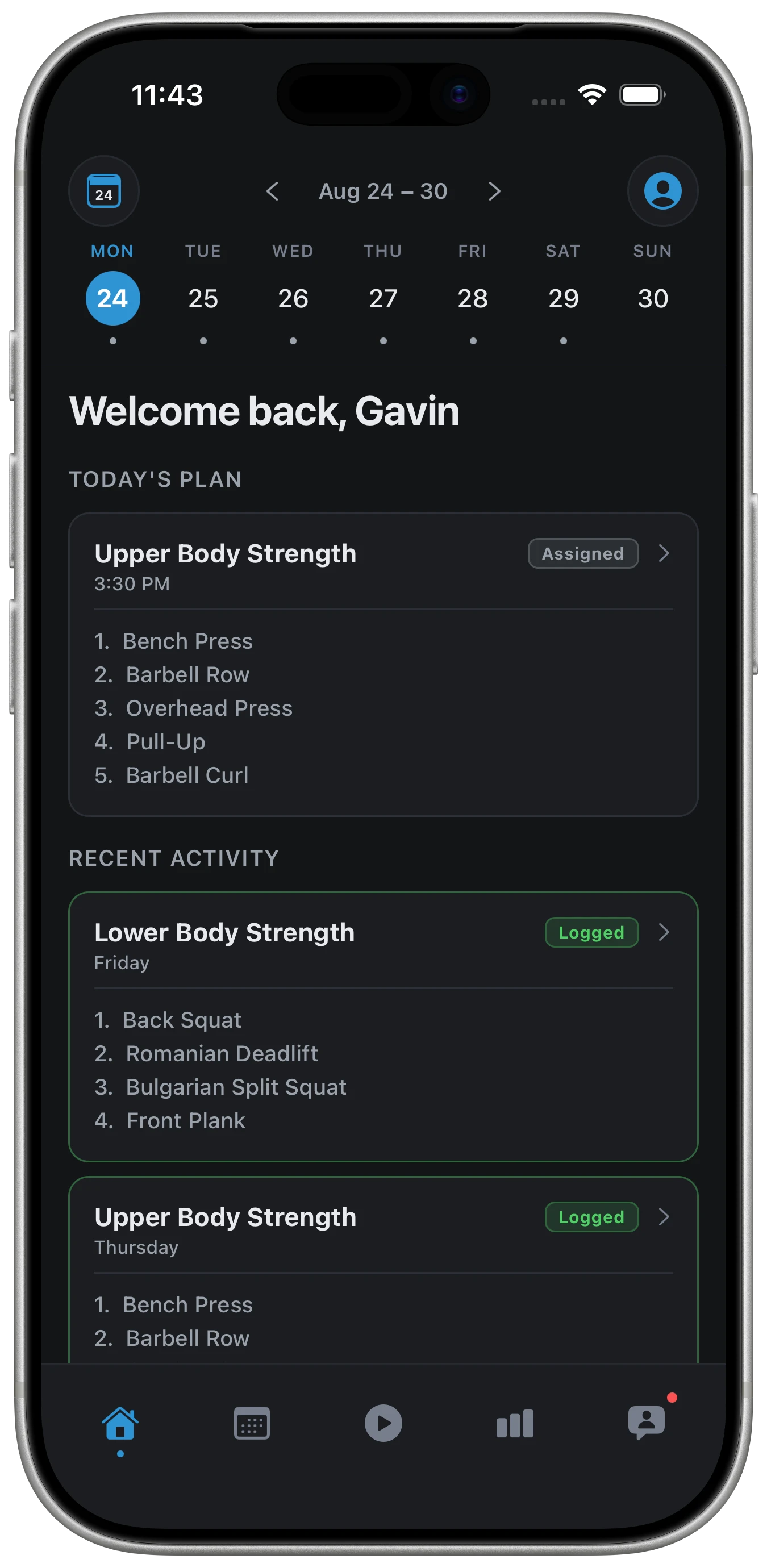
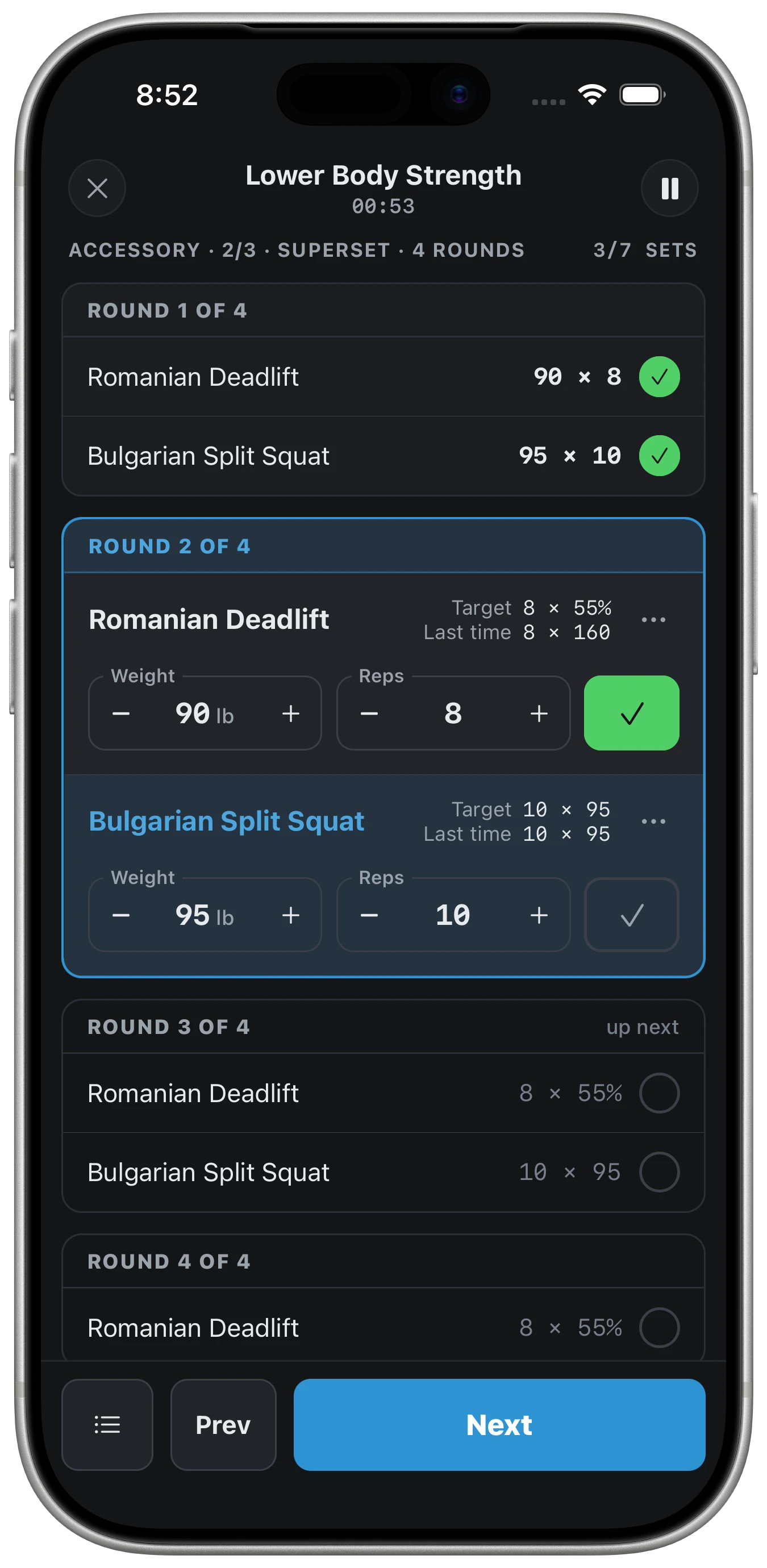
Coaches program on the web. Athletes live in the iOS app: today's plan on the home screen, one tap to start, and set-by-set logging that survives chalk, sweat, and a three-minute rest timer.
- Today's session front and center: blocks, sets, and coach notes
- Loads arrive as real weights — %1RM is resolved from each athlete's max
- Check off sets as they train, with last time's numbers beside each lift
- RPE and a session note on the way out; the log hits your reports instantly
- Feed, chat, and push notifications in the same app they lift with
Built for the weight room, not the office
The program, the logs, and the numbers in one place, for every coach and every athlete on the roster.
Total roster visibility
See every athlete's logged workouts, consistency, and progress in one place. No more chasing spreadsheets between coaches and the weight room.
Less manual work
Build a workout once and push it to the whole roster. Max lifts update automatically from performance testing, instead of a coach re-typing numbers every week.
Real progress, tracked over time
Consistency, volume, and strength trends tracked for every athlete, so coaches can see what is improving.
Everyone on the same page
Team chat, a shared feed, and a calendar coaches can edit and reschedule, so athletes know what is assigned and when.
Pricing
Tiers only change how many teams and coaches are covered, never which features you get.
Request a demo
A 20-minute walkthrough, tailored to your sports, your staff, and your season.