Reports
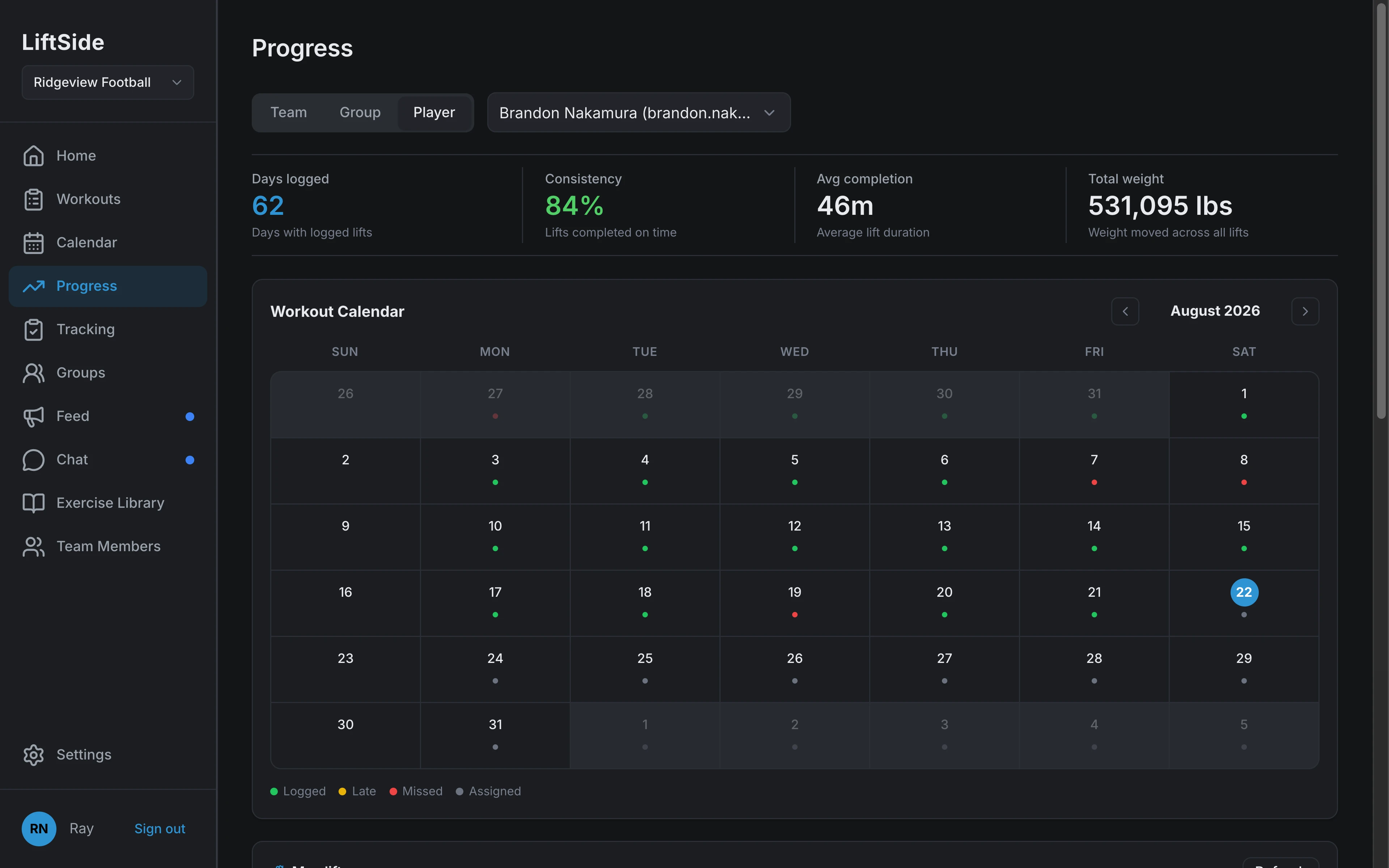
Every logged set feeds two reports. Progress shows charts and maxes for an athlete, a group, or the team. Tracking shows the roster against the week.
Progress charts
Switch between a player, a group, and the whole team. Filter the max and improvement charts by lift, and volume by muscle group.
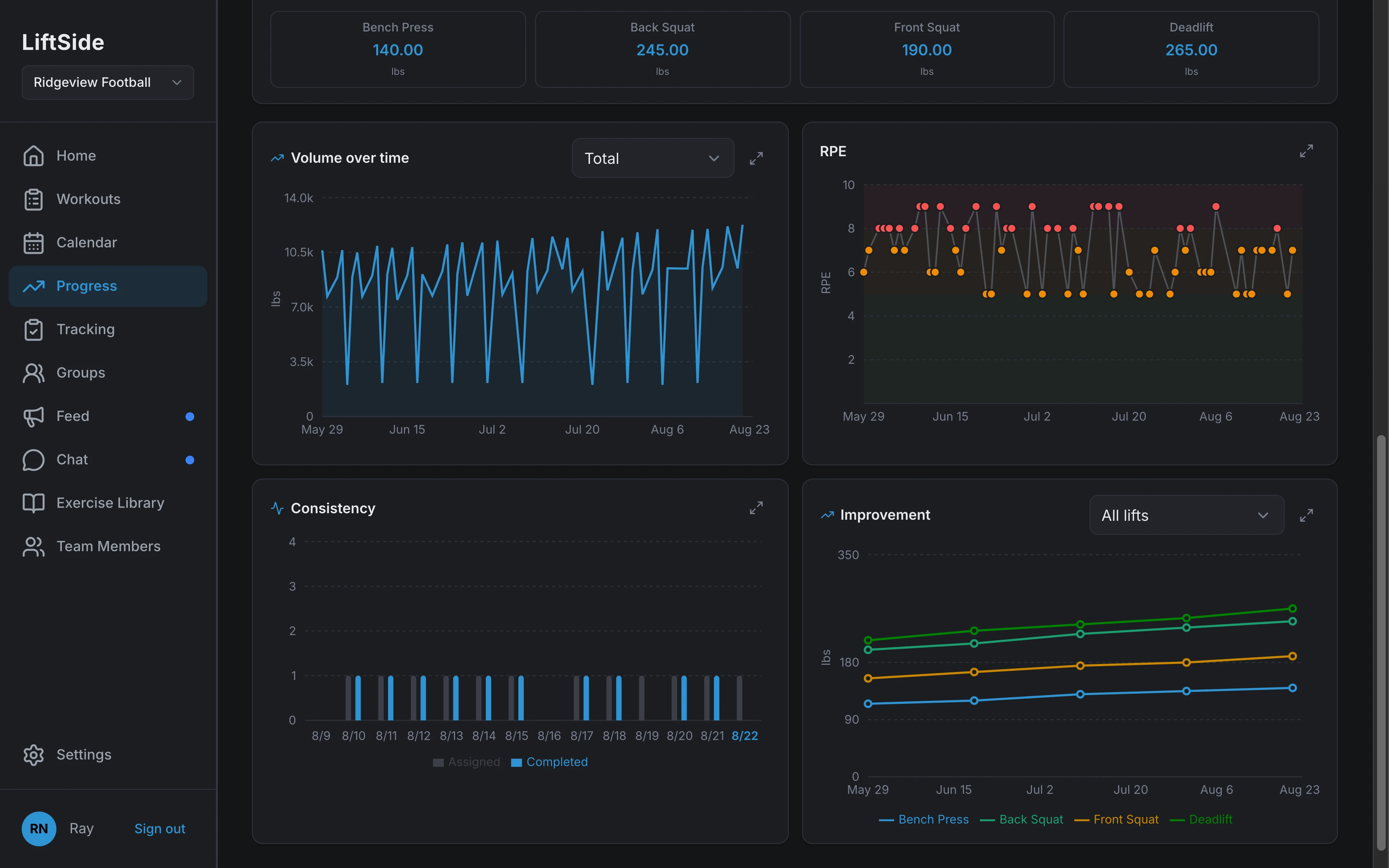
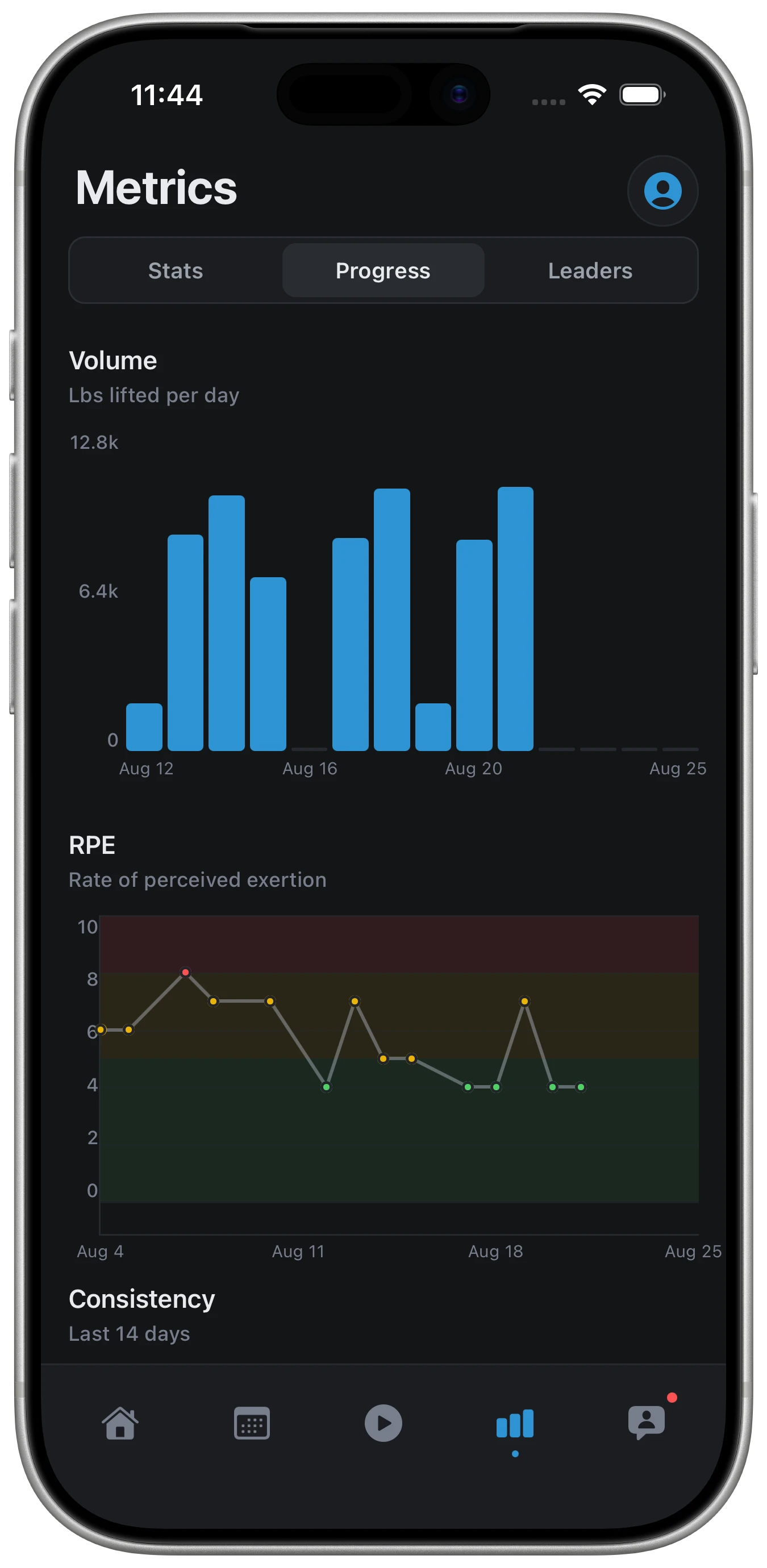
- Volume over time, total or average, filtered by muscle group
- RPE trend across every logged session
- Consistency: assigned vs completed, day by day, with a member drill-down
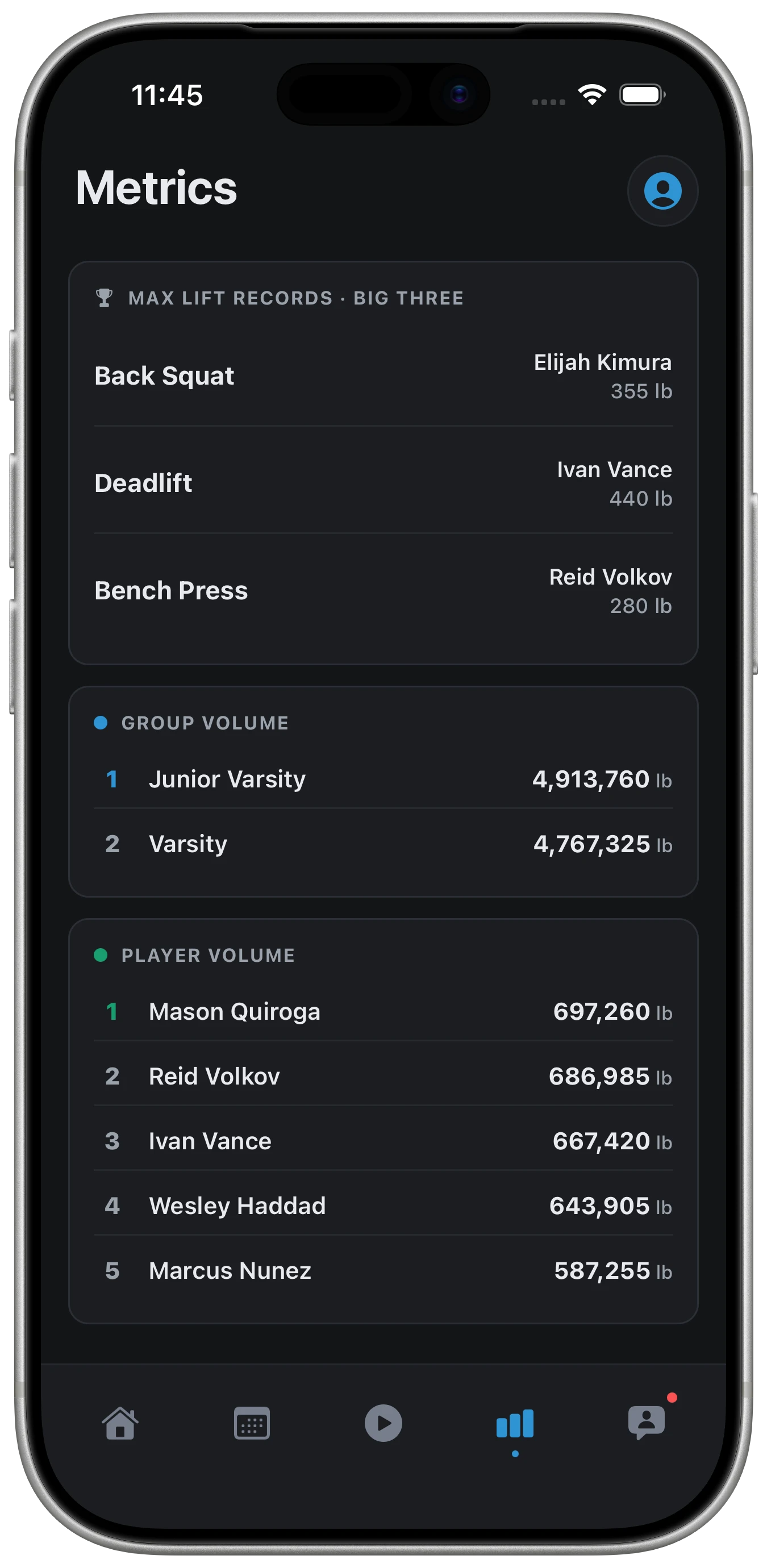
- Improvement across all lifts or one, plus big-three maxes and a leaderboard
- Expand any chart full-screen
Workout completion matrix
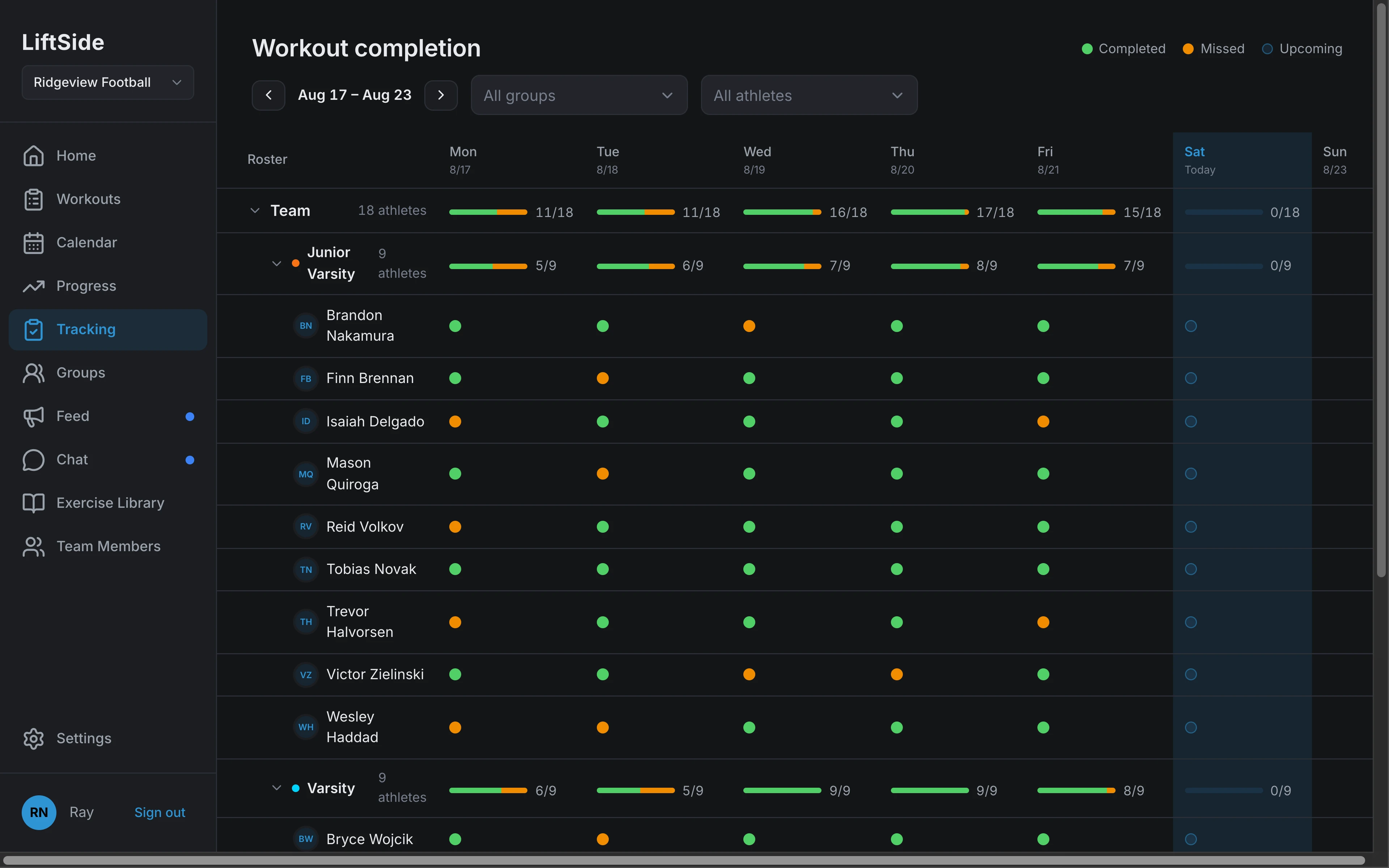
One row per athlete, one column per day, one dot per session: completed, late, missed, or upcoming. Totals roll up by group and for the team.
- Completion bars per group and for the whole team
- Filter by group or by athlete; step week by week
- Click a completed session to read the submitted log, set by set
- Optional nightly skipped-workout and morning digest emails for coaches
Max lift tracking with coach approval
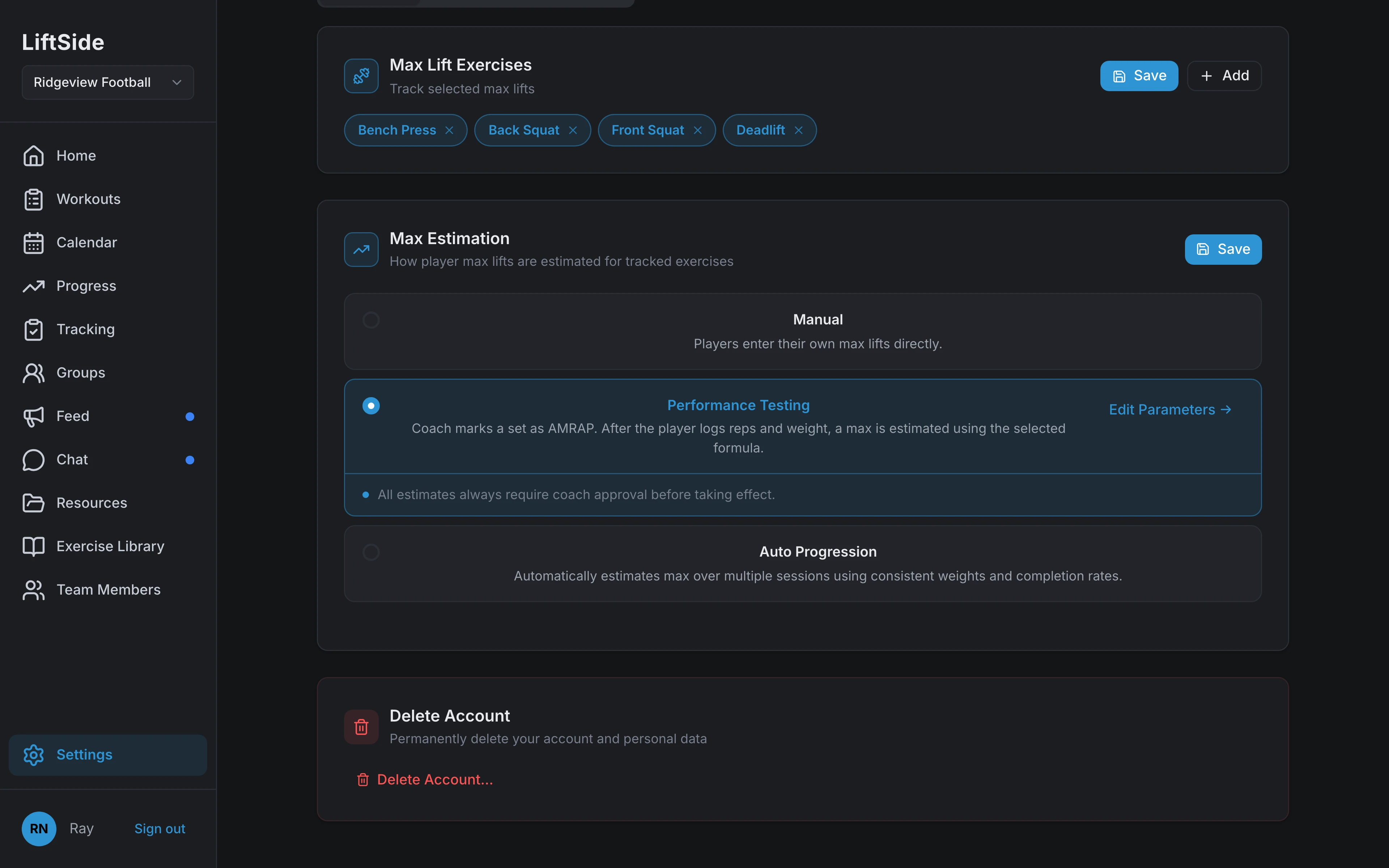
Maxes come from manual entry, an AMRAP performance test, or auto-progression. Team settings decide whether they update automatically or wait for a coach to approve.
- Estimate from AMRAP sets with Epley or Brzycki
- Require approval or auto-update, per team
- Athletes are notified when a max is approved or rejected
- % of 1RM prescriptions resolve from the approved number
Athletes see their own numbers
The same charts live in the iOS app, scoped to the athlete holding the phone. Days logged, consistency, volume, RPE, PRs, and where they stand on the team leaderboards — motivation you don't have to supply.
- Volume, RPE, and consistency charts from their own logs
- Personal records for the big lifts, updated as maxes are approved
- Team leaderboards: big-three maxes and volume by group and player
- RPE captured with a one-tap scale at the end of every session
Grouped exercises, per-set prescriptions, %1RM loads, and recurrence.
Learn moreA starter catalog with cues and video, plus your program's own movements.
Learn moreThe team's sessions by day, with per-date edits that don't rewrite the plan.
Learn moreTeam feed and chat with channels, groups, and DMs.
Learn moreRequest a demo
A 20-minute walkthrough, tailored to your sports, your staff, and your season.